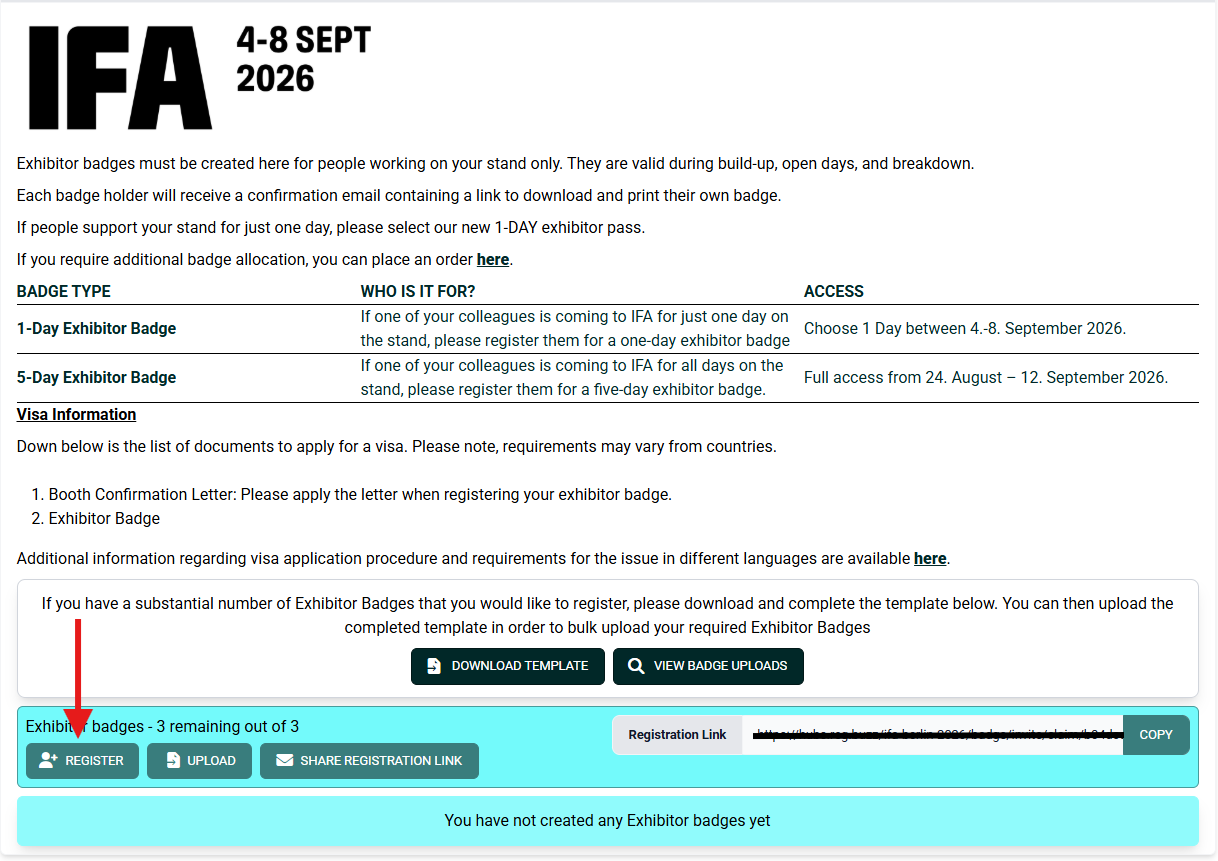
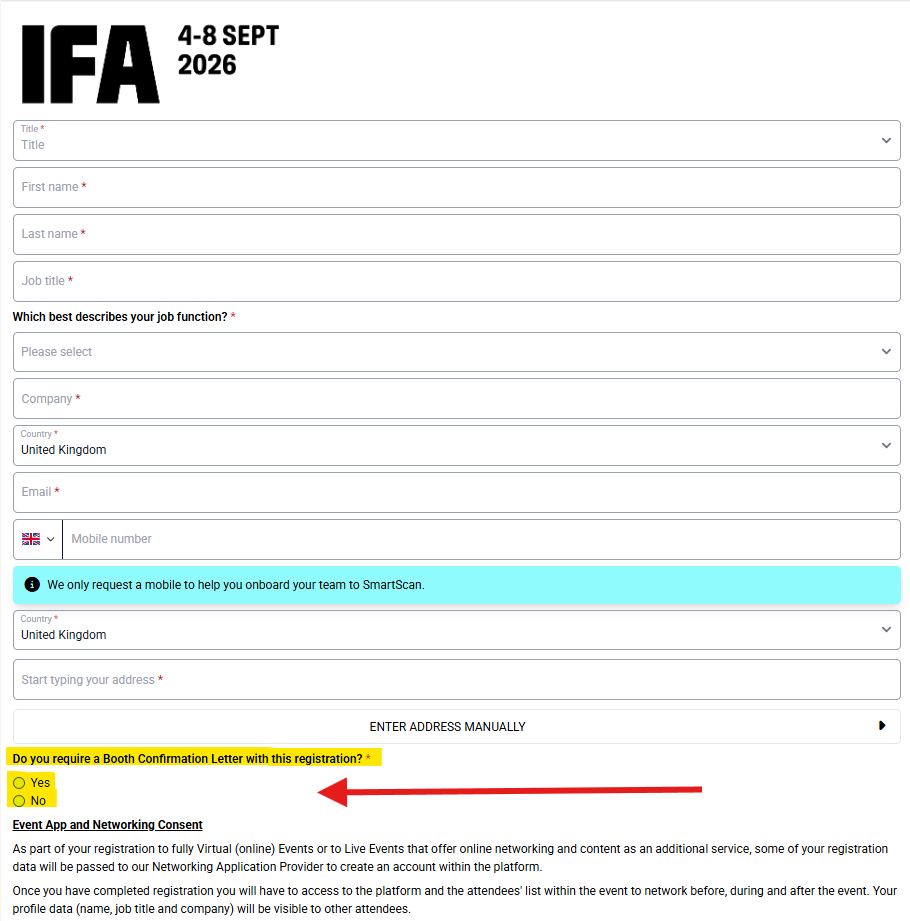
To obtain your booth confirmation letter, please access it via the Exhibitor Hub. When registering your exhibitor badge, you will have the option to include the letter by ticking the relevant box. Once you save the badge registration, the booth confirmation letter will be generated automatically.
To register your badges, please log in to the e-zone and navigate to:
Ticket Registration → Exhibitor Badge / Invite Guests → Exhibitor Badge Registration (purple link).
Ticket Registration → Exhibitor Badge / Invite Guests → Exhibitor Badge Registration (purple link).
Please refer to the screenshot below for guidance.

Was this article helpful?
That’s Great!
Thank you for your feedback
Sorry! We couldn't be helpful
Thank you for your feedback
Feedback sent
We appreciate your effort and will try to fix the article